 AI at SETU · For all SETU students
AI, Your Learning and You
AI can support your educational journey, but it shouldn't replace your thinking. This course is about learning to use AI effectively and responsibly.
Welcome to AI at SETU
Artificial Intelligence is increasingly part of everyday life. You may already use AI when you search online, use social media, translate text, get recommendations, work with software — or interact directly with tools such as Microsoft Copilot, ChatGPT, Gemini or Claude.

AI is also changing education and professional practice. During your time at SETU, you'll probably encounter AI in different ways across your programme.
- Sometimes you may be encouraged to use it.
- Sometimes its use may be limited.
- And there may be situations where you are expected to complete work independently, without GenAI.
But learning about AI isn't simply about knowing when you're allowed to use it. It's also about learning how to use it well.
SETU expects students to develop GenAI literacy and digital skills, and to approach AI critically, responsibly and transparently. Throughout this course, we'll explore how AI can support your learning without replacing the thinking and effort that help you develop.
Because ultimately:
AI can support your learning. It shouldn't do your learning for you.
What you'll be able to do
- ✓Explain in simple terms what GenAI is, and why its outputs need to be critically evaluated.
- ✓Identify productive ways of using GenAI to support your learning.
- ✓Recognise cognitive offloading, and tell support apart from replacement of learning.
- ✓Work more effectively with GenAI through questioning, exploration and review.
- ✓Determine whether GenAI use is appropriate in an assessment.
- ✓Use GenAI transparently and in accordance with your lecturers' instructions.
- ✓Recognise key ethical, privacy, environmental, copyright, bias and wellbeing considerations.
- ✓Know where to find SETU guidance and support.
Which of these have you used? Select all that apply — there's no right answer here.
You may be interacting with AI more often than you realise
AI isn't just a chatbot. It is increasingly built into the digital tools and services we use every day. Understanding how it works — and how to make good decisions about it — is becoming an important digital capability.
Where are you now?
Rate your confidence for each statement below, from 1 (not confident) to 5 (very confident). We'll come back to this at the end, so you can see what's changed.
Key messageAI is part of your learning environment
Knowing how to use it critically and responsibly is part of being a SETU student.
What am I actually using?
Before we use AI, it helps to understand a little about what it is — and why an AI answer isn't automatically a verified answer.

Because an LLM generates text by predicting what is likely to come next, a response isn't automatically a verified answer. AI capabilities are becoming increasingly sophisticated — but greater capability doesn't remove the need for human judgement.
Scenario Would you trust it? You ask an AI tool for information for an assignment. It gives you a clear explanation and provides five academic references. The answer looks professional and confident. What should you do?
C is the best response. AI can generate false information — and even references that don't exist. Asking the same AI whether its answer is correct doesn't independently verify anything; it just generates more text.
Check important claims against reliable sources, and locate academic literature through appropriate academic databases and Library resources. SETU's guidelines specifically remind students that GenAI can produce convincing information that may be partly or completely false.
Key messageConfident isn't the same as correct
AI can sound confident without being correct. You remain responsible for checking what it produces.
Can AI help me become a better learner?
AI can be a genuinely useful learning support. The question is whether it is doing the thinking, or helping you do the thinking.

These kinds of uses are specifically recognised within the SETU Student Guidelines. You could ask AI to:
Explain
Explain a difficult concept in a different way.
Practice
Generate practice questions, or quiz you.
Revise
Create flashcards and help you organise your revision.
Study better
Suggest study techniques that suit the material.
Check
Ask questions that test your understanding.
Discuss
Challenge an idea you've already had.
An important distinction
Consider these two interactions.
Example 1
"Write a 500-word explanation of this concept for my assignment."
The AI does most of the cognitive work.
Example 2
"I'm struggling to understand this concept. Explain it simply using an example. Then ask me three questions to check whether I've understood it. Don't give me the answers until I've tried."
AI supports the student to do the thinking.
Cognitive offloading
The SETU Student Guidelines use the term cognitive offloading. This means using AI to replace your own thinking, writing, critical judgement or reflection.
Sometimes learning is difficult. You might struggle with a reading. Find it difficult to construct an argument. Rewrite a paragraph several times. Get a problem wrong. Change your mind.
That effort can feel inefficient. But it's often where learning happens. If AI continually removes that effort, you may produce something more quickly while developing less understanding.
The goal isn't to avoid AI
It's to use AI in ways that increase your capability rather than your dependency.
For each example, decide whether it supports your learning, depends on the purpose of the task, or could be replacing your learning. Choose, then read the discussion.
Before you move on
Key messageA better learner, not an easier task
Use AI to make yourself a better learner — not simply to make the task easier.
Ask → Explore → Check → Learn
Using AI effectively isn't about memorising complicated prompts. It's about a habit you can apply to any tool, including the ones that don't exist yet.

Ask
Explain what you're trying to achieve. Instead of "Explain statistics." try:
"I'm a first-year student struggling to understand statistical significance. Explain it in simple language using an everyday example."
Explore
Don't assume the first response is the end of the conversation. Ask:
- "Can you explain that differently?"
- "Give me another example."
- "What are the limitations of that explanation?"
- "Ask me a question to see whether I've understood."
AI becomes much more useful when you interact with it, rather than simply request an answer.
Check
Question what it gives you. Is it accurate? Is something missing? Could it be biased? Can you verify important information elsewhere?
Learn
Finally, ask yourself: what do I understand now that I didn't understand before? That's the most important step.
Here's a weak prompt. Rewrite it so it's designed to produce learning rather than just content.
The prompt
"Write about climate change."
One possible version
"I'm trying to understand the main arguments around climate adaptation. Explain three different approaches in accessible language. Don't write an essay for me. Give me some questions I should investigate further, and then ask me to explain which approach I find most convincing and why."
Which prompt is likely to produce more content? Probably both. Which is more deliberately designed to produce learning? The second.
Key messageBetter understanding, not just a better answer
A good AI interaction shouldn't just produce a better answer. It should help you develop better understanding.
Can I use AI for this assignment?
There's no single answer to this question. Different assessments are designed to assess different kinds of learning — so the appropriate use of AI can differ too.
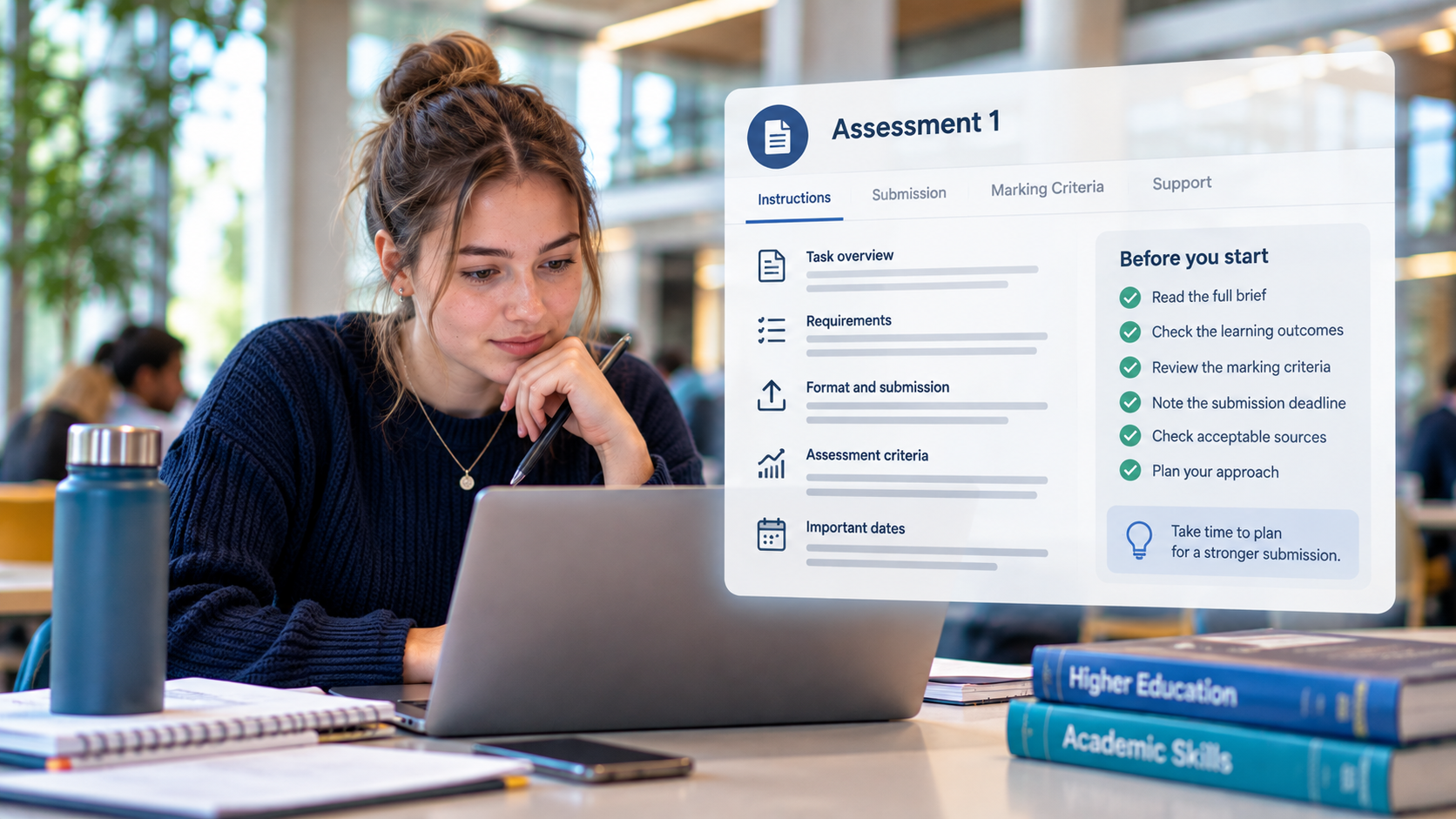
Your lecturer may:
Encourage or require
AI use may be an explicit part of the assessment.
Permit in part
Particular kinds of AI use may be allowed, and others not.
Restrict
The assessment may require you to work without GenAI.
The SETU Student Guidelines are clear
You must follow the guidance provided for your module and assessment.
Why might AI be restricted?
Imagine you're learning another language. There may be situations where using AI translation is useful. But if an assessment is specifically designed to establish whether you can translate the language, using AI to do the translation would prevent you from demonstrating that learning.
AI restrictions therefore aren't necessarily about believing that AI is bad. They may exist because there are particular capabilities that you need to demonstrate independently.
Activity: Same student, different rules
Aoife has three assessments this semester. The AI rules are different for each one.
Assessment 1 "Use a GenAI tool to generate an initial response. Critically evaluate the response using academic evidence and document your AI use."
Can Aoife use AI?
Yes. It's explicitly part of the assessment — generating the response, then critically evaluating it, is the task. Note that documenting the AI use is part of it too.
Assessment 2 "You may use GenAI to brainstorm and plan. AI-generated text must not be included in the submitted work. All AI use must be declared."
Which of these is Aoife allowed to do?
B. She can ask AI to suggest possible approaches — that's brainstorming and planning. She cannot ask it to write the final submission, because AI-generated text must not appear in the work. And either way, the use must be declared.
Assessment 3 "This assessment must be completed independently without the use of Generative AI."
Can Aoife use AI to improve the wording before submitting?
No. "Without the use of Generative AI" covers improving the wording too, not only generating the ideas. If you're not sure how far a restriction extends, ask your lecturer rather than assuming.
Final question What's the most reliable way to know what AI use is permitted?
C. The assessment instructions are the authority, and your lecturer can clarify anything that isn't clear. What was permitted in one module tells you nothing about another.
Key messageDifferent assessments, different rules
Always check before you use it.
Keep your work genuinely yours
Academic integrity is about honesty, trust and taking responsibility for your work. AI doesn't change those principles.

If you use GenAI, be open and honest about that use. Depending on the assessment, you may be asked to:
- acknowledge or reference the AI tool;
- provide your prompts;
- retain AI-generated outputs;
- complete a GenAI declaration;
- retain versions showing how your work developed.
SETU's guidelines also explain that lecturers may ask you to discuss or verify your submission, for example through an oral interview. The aim isn't to catch you out — you should be able to explain and stand over work that you submit as your own.
Scenario Do I need to say anything? Your lecturer permits AI brainstorming but requires all GenAI use to be declared. You ask AI to suggest five approaches to the assignment. You don't copy any of its text. You eventually develop a completely different approach yourself. Do you declare the AI use?
B. Transparency isn't limited to copying AI-generated text. The requirement here is to declare use, and you used it. Follow the specific requirements for your assessment.
Scenario You submit an assignment and are subsequently asked to discuss your argument with your lecturer. What would be most useful?
D. Keeping evidence of your process can help demonstrate the development of your work and thinking. It is much easier to do this as you go than to reconstruct it afterwards.
Key messageTransparency protects you
Transparency protects your academic integrity. Don't hide your AI use.
AI has wider consequences
Responsible AI use isn't only about whether an answer is accurate. AI technologies have wider ethical, social and environmental implications.

The SETU guidelines ask students to consider issues including environmental impact, bias, misinformation, human exploitation, copyright, authorship, ownership and data privacy. Let's consider some of them. Tap each card to see why it matters — and the question worth asking.
Bias
↺ Tap to flipBias
AI systems learn patterns from data. That data may contain existing biases, or underrepresent particular people, cultures, languages or perspectives.
Whose perspective might be missing?
Misinformation
↺ Tap to flipMisinformation
AI can generate inaccurate or fabricated information — fluently and confidently.
How can I verify this?
Copyright & ownership
↺ Tap to flipCopyright & ownership
Think about the material you're putting into AI as well as the content you're getting out.
Do I have the right to upload or use this?
People
↺ Tap to flipPeople
AI doesn't exist independently of people. Its development can raise questions about human labour, exploitation, inequality and who benefits.
Who might be affected by this technology?
Environment
↺ Tap to flipEnvironment
The data centres and computing infrastructure that support AI consume energy and resources, and impact varies considerably between systems and activities.
Is AI adding enough value here to justify using it?
None of this means you should never use AI. It means using it thoughtfully and proportionately.
Four uses of AI. For each, ask could you? — then ask the harder question. Reveal each one when you've decided.
Could you? Probably. Then: do you need to? Fifty generations is fifty times the resource cost of one. Would a clearer description have got you there in three?
Potential educational benefit may justify its use. You're still doing the learning; AI is generating the practice.
This raises copyright questions as well as cognitive offloading. Two separate problems in one action: whether you have the right to upload it, and whether you're skipping the reading that the module expects you to do.
Potential accessibility and learning benefits need to be part of the judgement. The same action can be entirely appropriate here and inappropriate in a language assessment designed to test your own translation.
The pattern
Responsible decision-making isn't always about a simple right or wrong answer. Consider purpose, benefit and impact.
Key messageConsider the consequences, not just the capability
Responsible AI means considering the consequences of your choices — not simply whether AI can perform the task.
Pause before you upload
AI conversations can feel private. Don't assume that they are.

The SETU guidelines advise students never to share personal or sensitive information with a GenAI tool. Your interactions may be used to train a system, depending on the tool and its settings.
That applies to other people's information too. Don't upload someone's personal information, image or voice without appropriate permission. And don't use AI to record or transcribe lectures or meetings without prior consent.
Microsoft Copilot Chat at SETU
SETU students have access to Microsoft Copilot Chat through Office 365. When you're logged in with your SETU credentials, Enterprise Data Protection applies within the Microsoft digital infrastructure. But data protection is still your responsibility — being on a supported tool doesn't make everything safe to upload.
Key messageBefore you upload, ask two questions
Do I have the right to share this — and would I be comfortable if it didn't remain private?
AI can sound human. It isn't human support.
AI chatbots are designed to hold conversations. They can respond in language that sounds supportive, understanding and empathetic. That can make interactions feel personal.

But AI doesn't experience empathy, or understand you in the way another person does.
The SETU Student Guidelines specifically caution against relying exclusively on GenAI for emotional or psychological support. They also highlight concerns about the privacy of personal mental-health information — some of the most sensitive information about you there is.
If you're struggling, appropriate human support matters.
Scenario You've been discussing a personal problem with an AI chatbot. Its responses feel understanding and helpful. Which statement is most important to remember?
C. A response that sounds understanding is a response shaped to sound understanding. That isn't the same as being understood — and the conversation itself carries a privacy cost.
Support available at SETU
SETU provides support through services including:
Your Class Tutor
Usually the first person to talk to about how your studies are going.
Student Support Services
Practical and personal support across your time at SETU. Learn more
Counselling Service
Confidential professional support. Learn more
Students' Union
Student-led advice and representation. Learn more
Centre for Academic Practice
Guidance on learning, academic skills and GenAI. Learn more
Key messageSimulated empathy isn't support
AI can simulate conversation and empathy. It isn't a replacement for appropriate human support.
Before you use AI: 5 questions
Everything in this course comes down to five questions. Keep them on your phone, or print the card below.

| Checked | Question | Ask yourself |
|---|---|---|
| 1. Learning | Is AI supporting my learning — or replacing it? | |
| 2. Permission | Is this use allowed for this assessment? | |
| 3. Trust | Have I critically checked the output? | |
| 4. Transparency | Have I acknowledged my AI use where required? | |
| 5. Responsibility | Have I considered privacy, people, bias, copyright, wellbeing and environmental impact? |
AI at SETU · Using GenAI to Support Your Learning — Centre for Academic Practice
Final challenge: work through the five questions
You're struggling with one of the core concepts, so you ask AI to explain it using an example. You then ask AI to:
- suggest different perspectives you might investigate;
- generate possible search terms;
- quiz you to check your understanding;
- give feedback on an outline you have written.
You locate and read the academic literature yourself. You develop your own argument. You write the assignment yourself. Your lecturer permits AI as a learning support but requires any use to be declared.
Decide your answer to each question, then reveal the discussion.
Primarily supporting. You're continuing to read, evaluate, think and write. AI removed a barrier and generated practice; it didn't do the work.
Yes, according to this assessment scenario. AI is permitted as a learning support.
No. Important information still needs to be critically evaluated and verified — including the explanation of the concept you were struggling with, and any search terms or perspectives it suggested.
Yes. The lecturer requires AI use to be declared. Writing it yourself doesn't remove the requirement to declare the use.
Yes. Consider what information you're sharing, copyright, bias and misinformation, privacy, environmental proportionality, and the wider consequences of your use.
The new instruction
Your lecturer specifies that Generative AI must not be used for this assessment.
Does your decision change?
Yes
Nothing about the AI use itself changed — it was still explaining, quizzing and giving feedback. What changed was the context. The same AI activity can be appropriate in one learning context and inappropriate in another. That's why responsible AI use requires judgement and attention to context.
Key messageJudgement, not memorised rules
Responsible AI use isn't about memorising one set of rules. It's about learning to make good decisions.
Keep your thinking in the loop
You've reached the end of this course. AI will continue to change during your time at SETU. The tools you use today may not be the tools you use when you graduate.

That's why the most important capability isn't learning how to use one particular AI system. It's learning how to approach AI critically, confidently and responsibly.
- Use AI to ask questions.
- Use it to explore.
- Use it to practice.
- Use it to challenge your thinking.
But don't give away the thinking that helps you learn.
What matters
Your ideas matter. Your creativity matters. Your judgement matters. And the expertise you're developing matters. AI can support your learning. You remain the learner.
Rate yourself again
Final reflection
Before you leave, complete these three statements. You can download everything you've written in this course as a single file.
Where to go next
ai.setu.ie is SETU's AI website — the place to start for guidance, tools and updates as they develop.
The Student hubs on Blackboard and Moodle bring together the resources referenced throughout this course, including:
- GenAI learning materials and information on the tools available to you;
- the Academic Integrity course;
- Library guidance on referencing and prompt literacy;
- academic writing and mathematics support;
- wellbeing supports;
- and ongoing updates as guidance develops.
- Student guidelines for the use of Generative AI. link
Final key message
- Use AI to support your learning — not to replace it.
- Ask. Explore. Check. Learn.
- Keep your thinking in the loop.
Well done.
You've completed AI at SETU: Using GenAI to Support Your Learning. You've looked at what GenAI actually is, told support apart from offloading, practised asking better questions, worked out how to check whether AI is allowed for an assessment, and weighed privacy, bias, copyright, wellbeing and environmental impact.
Not finished yet.
There are still some sections to work through. Finish them and your certificate will appear on this page.
Your certificate is waiting
You've finished 0 of 11 sections.
A section counts as finished once you've worked through its activities. Pick up where you left off:
Download your certificate of completion
Enter your name as you'd like it to appear, then preview or download your certificate (save as PDF, or print).
Your name stays on this device — it is only used to generate the certificate.
Take one thing with you
The five-question decision check. Before you use AI: Learning. Permission. Trust. Transparency. Responsibility. If you print one page from this course, print that card.
Developed by the Centre for Academic Practice, based on a course development script created by Dr Hazel Farrell. The course was built using Claude Code with images generated by ChatGPT.